I redesigned QA's platform navigation to keep learners on track
Migrating Circus Street clients to Cloud Academy made navigation a priority
At the end of 2023, QA Group reached a pivotal moment: we began migrating clients from Circus Street to the Cloud Academy platform. These clients were used to a simpler, highly intuitive UX—one they genuinely liked and trusted. The pressure to improve navigation and usability wasn’t just a nice-to-have—it was a business-critical need.
This shift gave us the opportunity to rethink our learning experience, starting with one of the biggest pain points: the sidebar(s).
Before, different content types had different sidebars. Learners struggled to understand where they were and how to track their progress. Many were exiting their sessions just to check their status on course landing pages, disrupting their learning session.
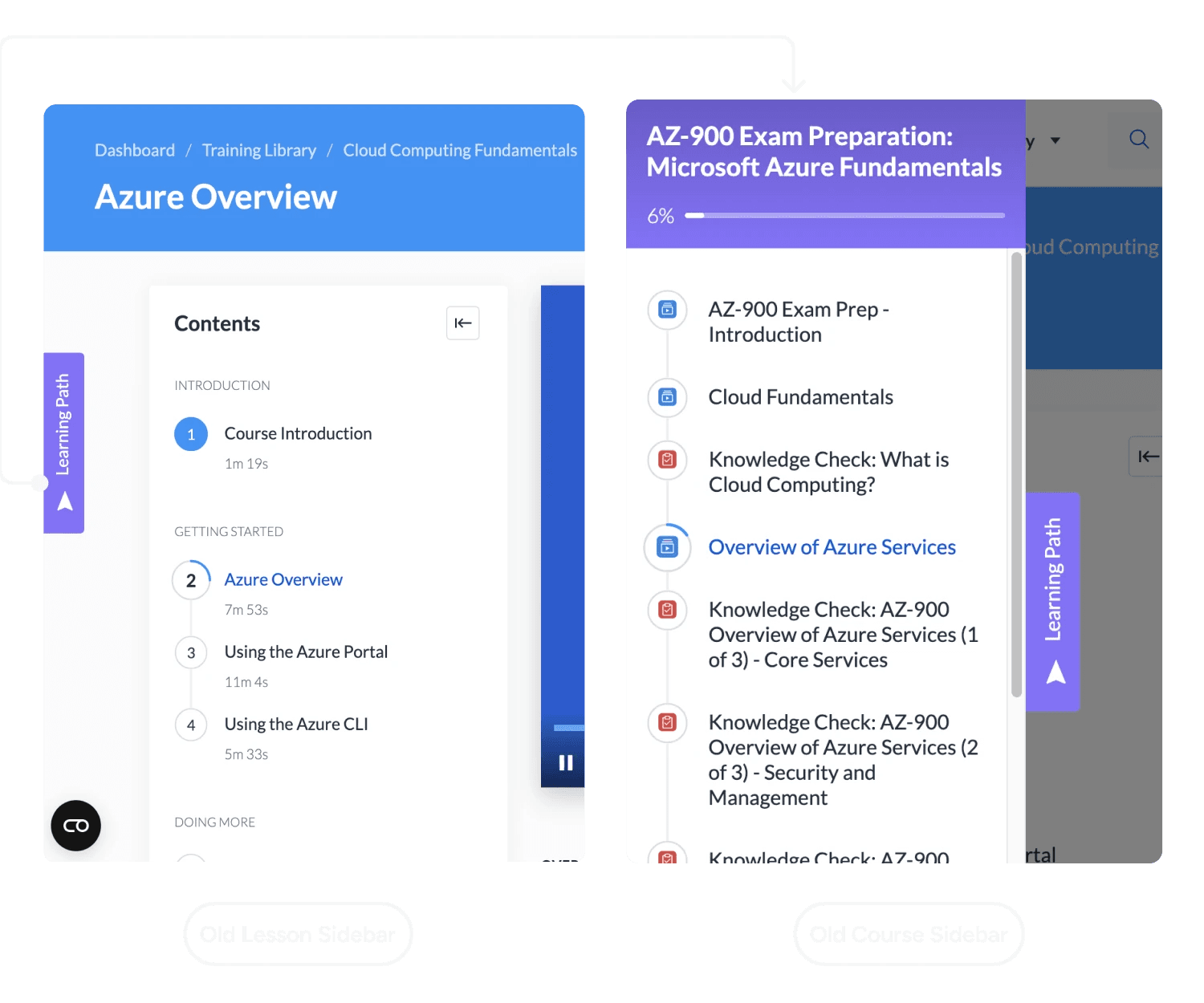
The button to open the sidebar was often misinterpreted.
As a result, a significant number of users relied on the breadcrumb navigation to return to the Courses' landing page when seeking information about their progress, disrupting the learning experience.
Learners got lost because every content type behaved differently
Main issues we were dealing with:
Inconsistent UI: Different sidebars (or none) depending on the content type
Progress friction: Users often exited sessions to check where they were
Complex structure: Courses, lessons, and programs all had different navigation logic
• 4. Unclear content hierarchy: Increased cognitive load for learners
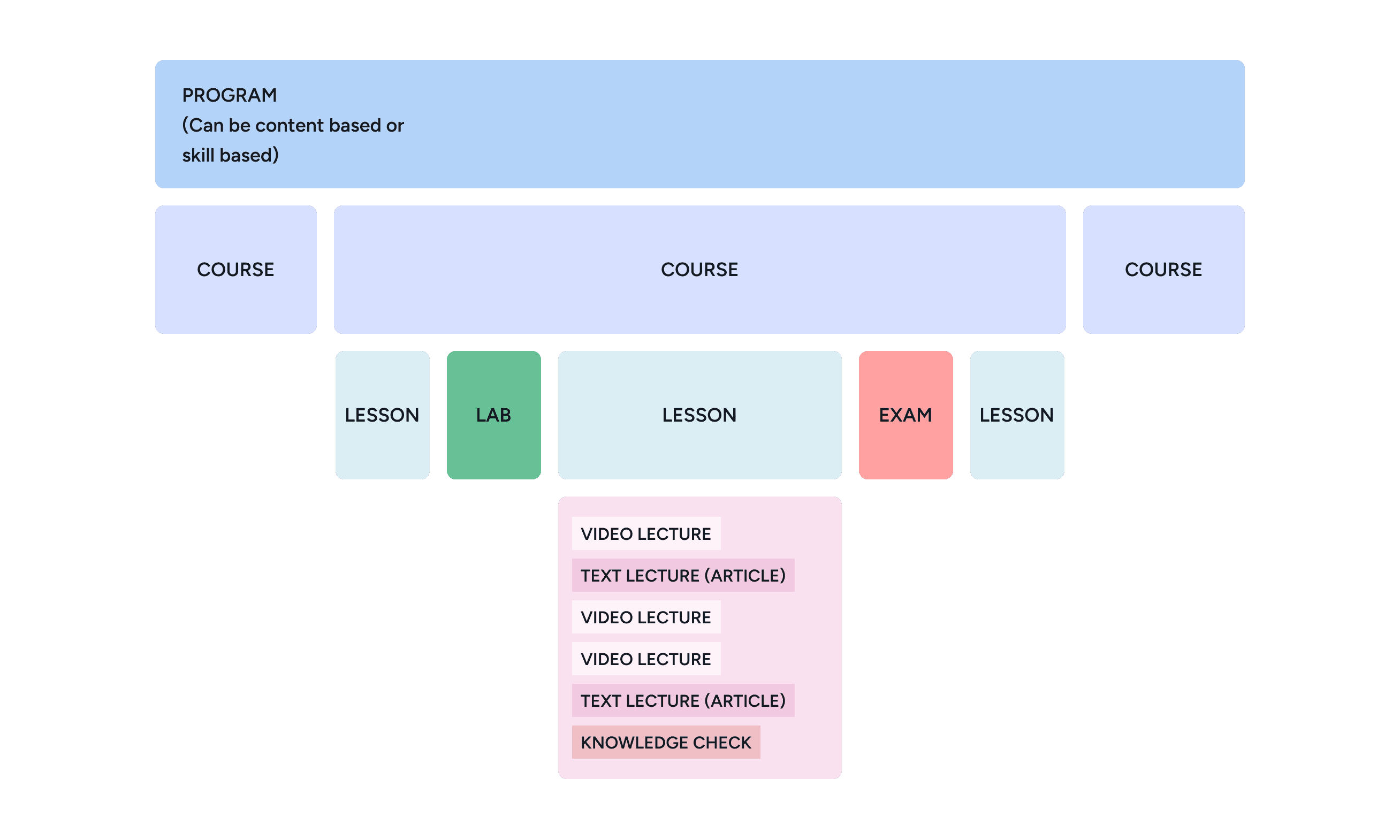
Here's an example of QA’s complex content hierarchy for context.
I set out to find one structure that could work for every content type
Here’s a quick list of the steps I took to get to the solution:
A universal sidebar replaced the separate navigation for each content type
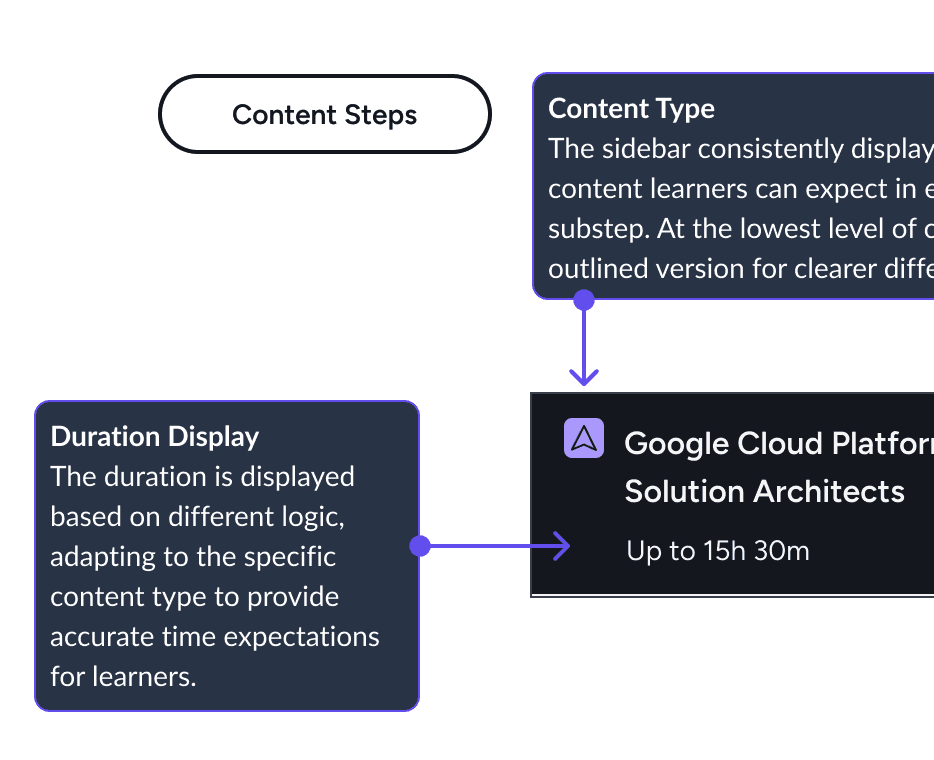
I designed a universal sidebar that brings all content types into one consistent experience, so learners can stay focused, see their progress at a glance, and view videos comfortably (no need to toggle full screen!) – without interrupting their flow.
Learners can now see where they are and how far they have come without leaving the lesson
Key improvements include:
Clearer Content Hierarchy:
Supports up to 3 levels of content and has clearer visual cues (icons, duration, locked/unlocked status)
Fewer exits to the landing page and less need for full screen video
Following the implementation of the improved sidebar and other UI enhancements, user feedback and platform analytics indicated the following improvements:
28% reduction in the need for full-screen viewing
thanks to improved UI clarity and better visibility of the collapsible sidebar, allowing users to expand video lessons to a larger size by simply collapsing the sidebar